Graphical login
Connecting to your EXPLOR graphical environment requires the X2GO client.
This client is available for Windows, macOS and Linux.
You can download the X2GO client from: http://wiki.x2go.org/doku.php/download:start or from the package repositories of most Linux distributions.
X2GO configuration
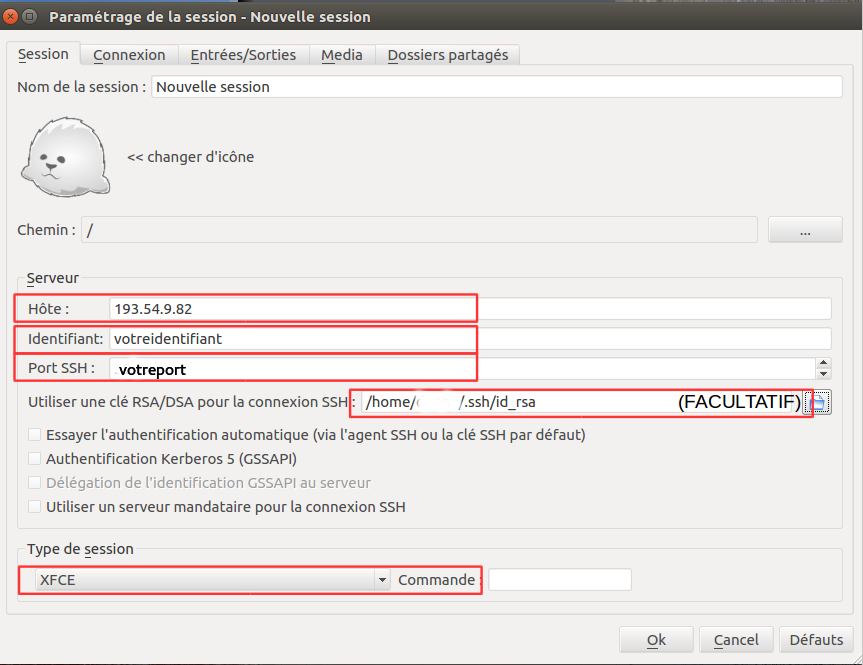
In "Session":
- Host: 193.54.9.82
- Username: your_username
- Port: your_connection_port
- (Optional) Select your private key
- Session type: XFCE
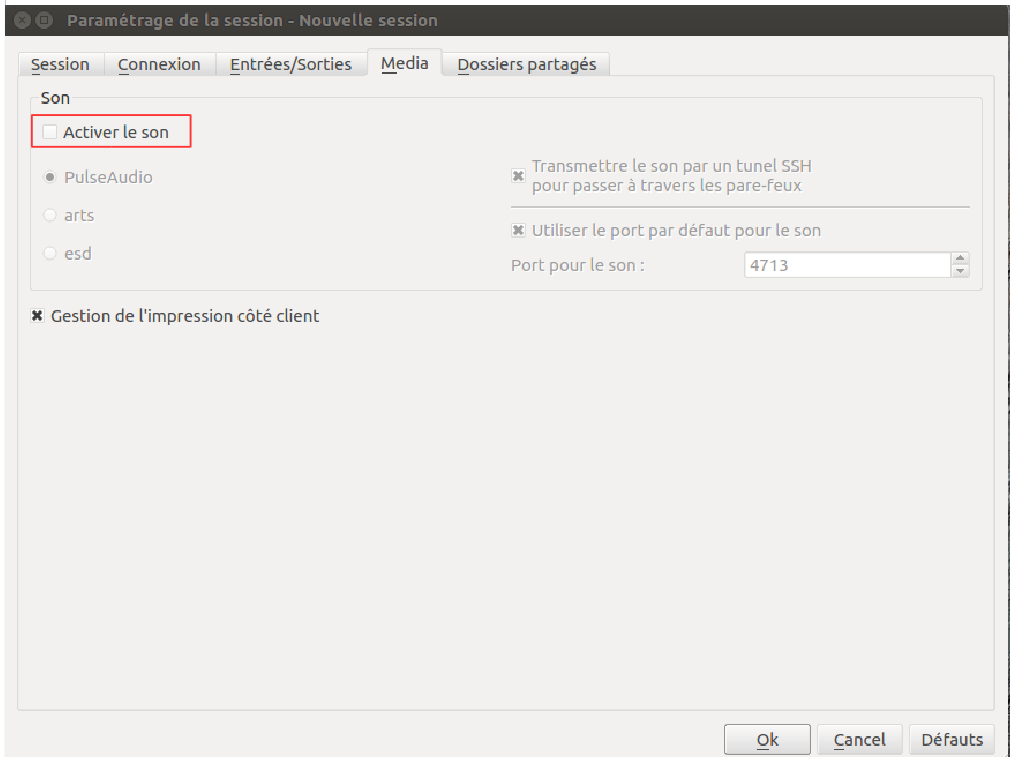
In "Media":
- Uncheck sound support
Click OK, then connect to the session.
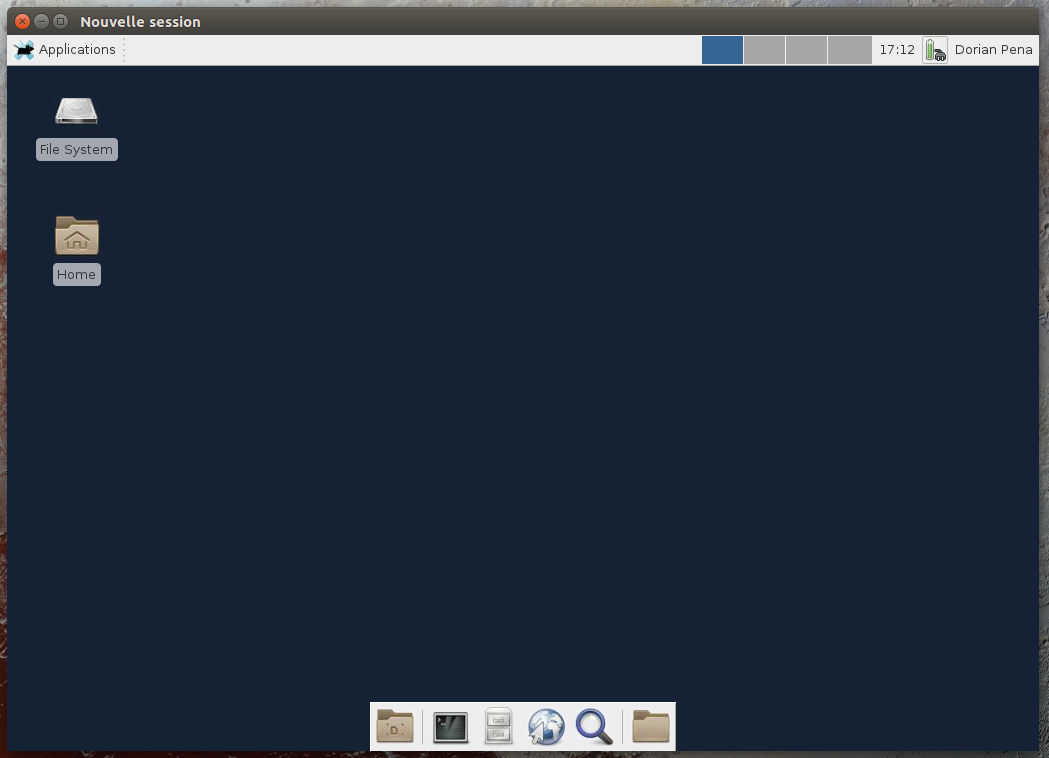
You are now on your personal EXPLOR desktop!
Disconnecting from your X2GO session
Note
To disconnect, simply close the X2GO session window. Your open windows and applications will be preserved until your next connection.
Warning
To limit system resource usage and avoid slowdowns in the shared environment, please use resource‑intensive applications (e.g., Firefox) sparingly and close them before disconnecting your session.